Taskify: manage projects and team tasks in one place.
Taskify is a task and project management app for teams, created by Shiva Bhusal. Plan projects, assign tasks, chat with your team and get reminded before deadlines. Get the Android app on Google Play or use it in your browser today.
- Task stages, from To do to Done
- 5
- Team roles, from Owner to Viewer
- 5
- Tasks, chat, notes and reminders on web and mobile
- 1 account
- Ads or trackers. Your data is not for sale
- 0
Features
Everything your team needs to get work done
Simple enough for a personal to-do list, structured enough for a whole team. Tasks, projects, chat and reminders work together.
Smart tasks
Create tasks with descriptions, due dates, priorities, labels and subtasks, and give each a clear status so nothing slips through.
Projects with progress
Group work into projects with due dates and members. See how far along each project is without building a report.
Team workspaces and roles
Keep a private personal space and create team workspaces. Owner, Admin, Manager, Member and Viewer roles control who can do what.
Assign and own
Assign a task to the right people, reassign in a tap and always know who owns what. Invite teammates by email or username.
Comments and files
Discuss work right on the task with replies and @mentions, and attach the files your team needs.
Team chat
Message teammates one-to-one or in groups without leaving Taskify. See who is online, who is typing and what you have not read.
Alerts and reminders
Push and in-app notifications for assignments, mentions, invitations and tasks that are due soon.
My Day and dashboard
Open My Day to see what is overdue or due today across every workspace, and track progress on a simple dashboard.
Private notes
Keep personal notes that only you can see and attach a reminder so good ideas are never lost.
A closer look
Designed to feel effortless
From the first task to the last checkbox, every screen in Taskify is built to stay clear and calm.
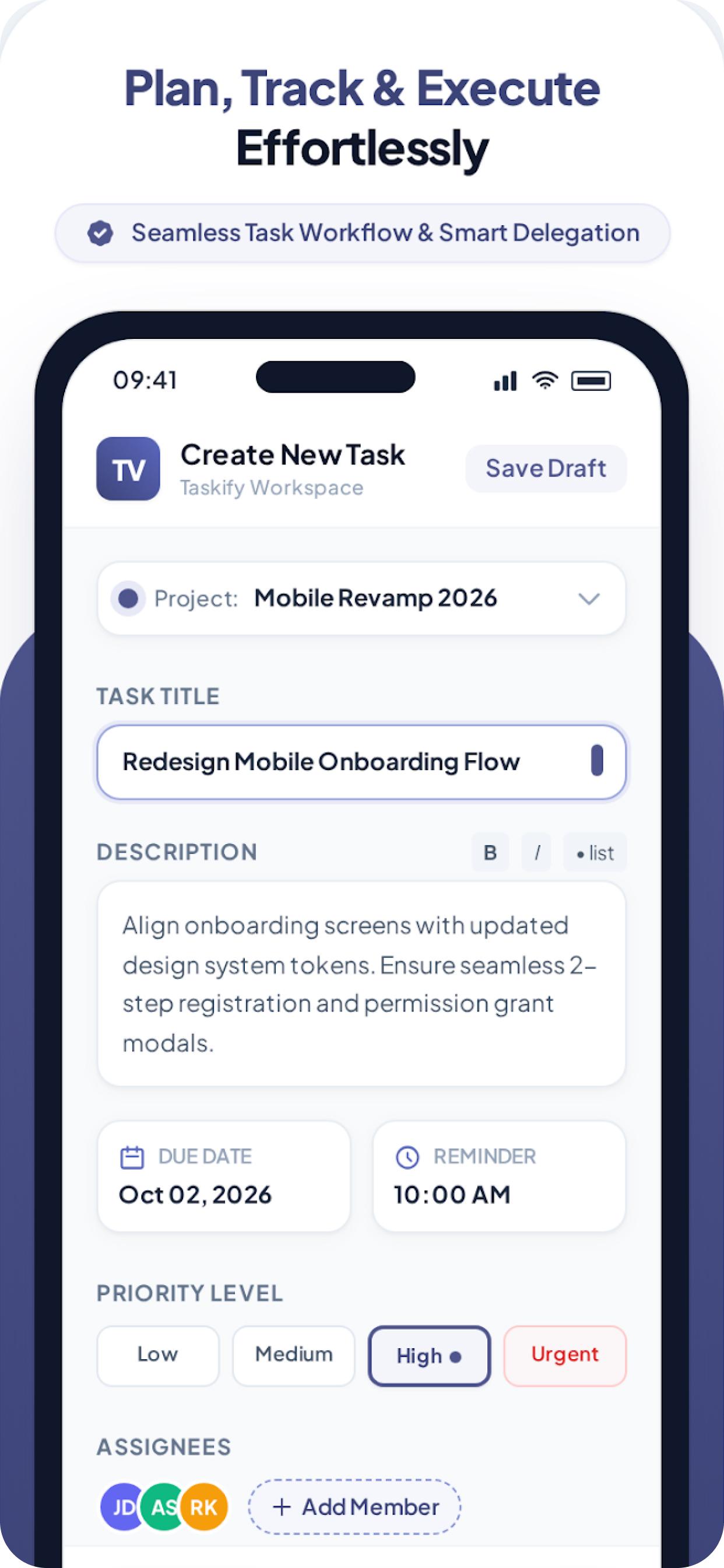
Plan every task 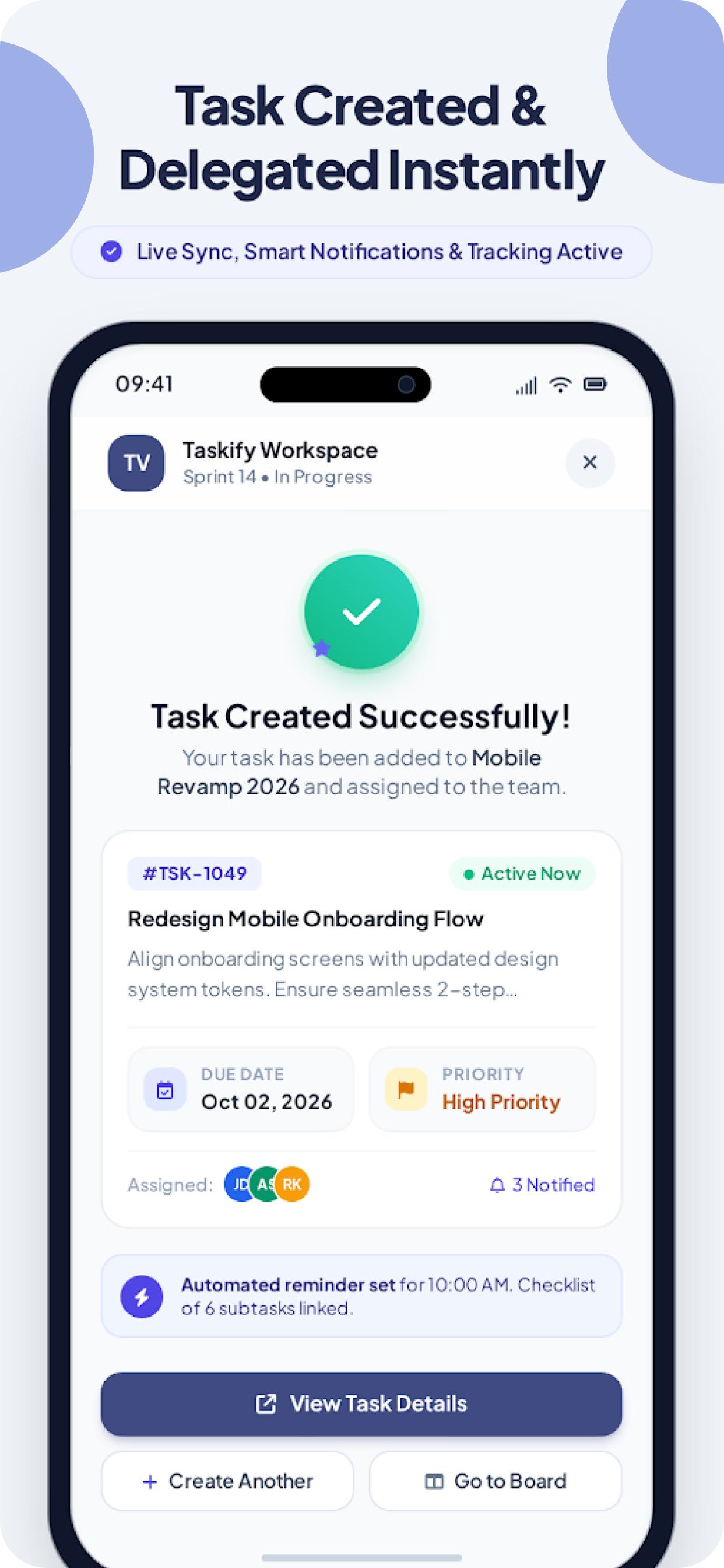
Delegate instantly 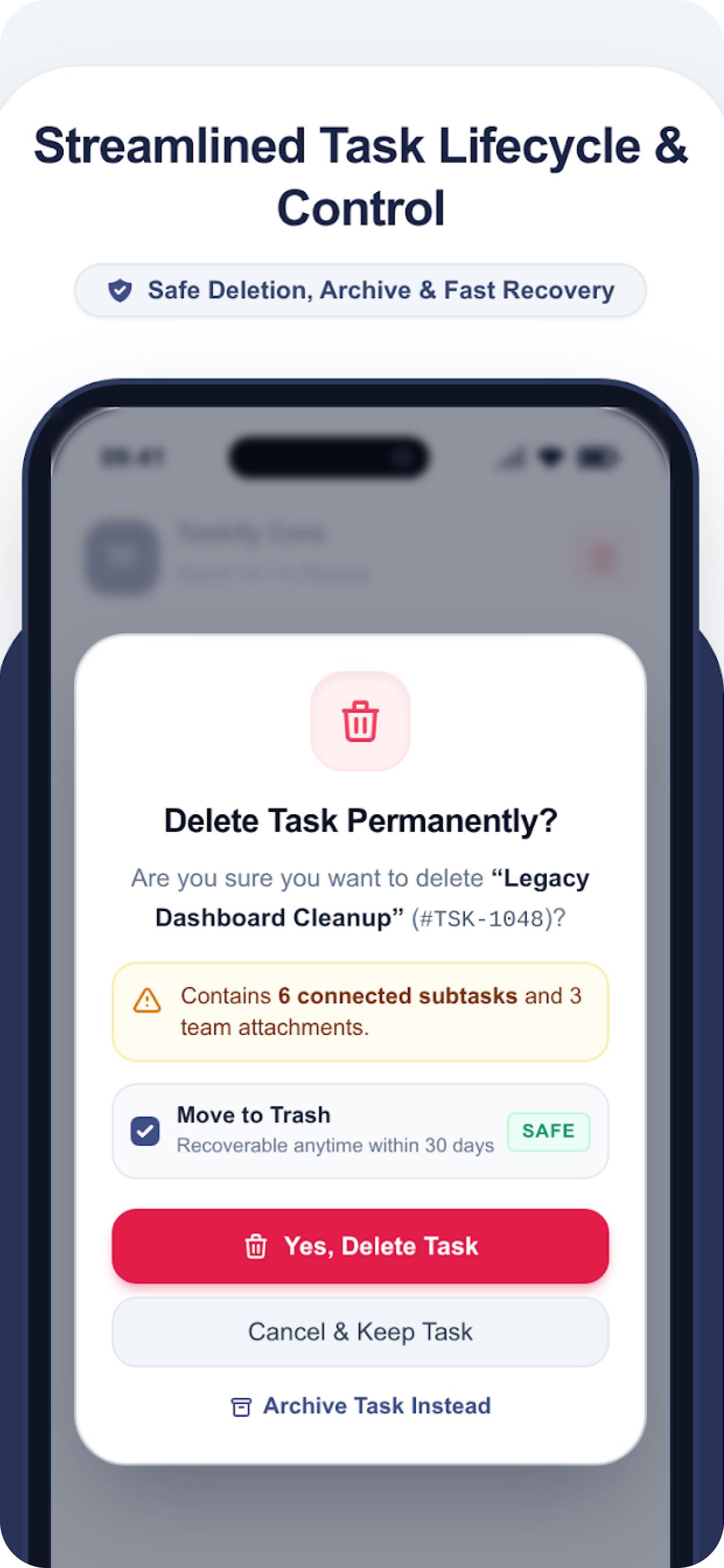
Stay in control
Workflow
Follow every task from start to finish
Taskify's built-in stages match how real teams work, so progress is visible at a glance.
01
To do
Captured with a clear title, owner and due date, waiting in the backlog.
02
In progress
Someone has picked it up. Teammates can see exactly who is on it.
03
In review
Work is finished and ready for a second pair of eyes before it moves on.
04
Blocked
Waiting on something else. Flag it so the team knows why it has stopped.
05
Done
Finished and logged in the task's activity history, and the project moves forward.
Prioritise with four levels
- Low
- Medium
- High
- Urgent
Who it's for
A task manager that fits how you work
Whether you plan alone or lead a team, Taskify keeps work organised without the weight of enterprise software.
Students and study groups
Split group assignments into tasks, set deadlines for exams and keep the whole group in one chat.
Freelancers
Run a project per client, rank work by priority and open My Day each morning to see what matters.
Startups and small teams
Invite teammates, assign owners and follow progress without paying the time cost of a heavy tool.
Agencies and project teams
Give clients the Viewer role, keep discussions on the task and see every change in its history.
Managers and team leads
See what is overdue, what is due soon and how each project is progressing, without chasing updates.
Individuals and families
Use your personal workspace for everyday to-dos, goals and notes with reminders.
Privacy and security
Your work stays yours
Taskify was built with privacy in mind from day one. Read the full details in our privacy policy.
Biometric app lock
Unlock with fingerprint or Face ID. Biometric data never leaves your phone.
Secure sign-in
Email verification with one-time codes, or sign in with Google or GitHub. Passwords are stored as one-way hashes.
Light and dark mode
Easy on the eyes at any hour. Taskify follows your preference.
Role-based access
Every action is checked against your role on the server, so people only see and change what they should.
How it works
How to get started with Taskify
- 1
Create your account
Sign up on Taskify Web with your email and verify it with a one-time code, or continue with Google or GitHub.
- 2
Set up a workspace and project
Use your personal workspace, or create a team workspace, invite people and break the work into tasks.
- 3
Track and finish
Move tasks through each stage, chat with the team and watch the project come together.
Why Taskify
Made to keep busy teams calm
Why Taskify was built, and what it is like to plan work with it.

Shiva Bhusal
Creator of Taskify
My Day is the first thing I open every morning. I see what is overdue and what is due today across every workspace, and I just start.
Aarav K.
Freelance designer
Our group project finally stopped living in five different chats. Tasks, deadlines and the discussion are all in one place.
Sita M.
Engineering student
Giving clients the Viewer role was exactly what we needed. They follow progress without being able to change anything.
Rohan T.
Agency owner
The reminder before a task is due has saved us twice this month. It reaches my phone even when the app is closed.
Prabin S.
Startup founder
With @mentions on the task, decisions stay attached to the work instead of getting lost in chat history.
Anisha R.
Product manager
Private notes with a reminder replaced the sticky notes on my desk. Simple, and I stopped forgetting things.
Kiran B.
Team lead
About the app
Questions about Taskify
Product details, supported platforms, teams, security and where to start.
What is Taskify?
Taskify is a task and project management app created by Shiva Bhusal. It brings projects, task assignments, priorities, due dates, team chat, notes and reminders together for individuals and teams, on Android and in your browser.
What can I do with the Taskify app?
Create personal and team workspaces, organise work into projects, create tasks and subtasks with priorities, labels and due dates, assign them to teammates, discuss them in comments and chat, attach files, keep private notes with reminders, and follow progress on a dashboard.
Can my team use the Taskify app?
Yes. Create a team workspace, invite members by email or username, give each person a role and share projects. Assign work to the right people, discuss it with comments and files, and follow each task from To do to Done.
What roles does Taskify have?
Taskify has five workspace roles. Owners control everything including deleting the workspace; Admins manage members and workspace settings; Managers run projects, labels and moderation; Members create, update and assign tasks; Viewers have read-only access and can comment. Roles are enforced on the server.
Does Taskify have team chat?
Yes. Taskify includes one-to-one and group chat inside each workspace, with online status, typing indicators, unread counts and read status. You can also choose to appear offline when you need to focus.
Will Taskify remind me about deadlines?
Yes. Taskify sends push and in-app notifications for assignments, mentions, invitations and tasks that are due soon. Notes can have their own reminder time, and My Day shows what is overdue or due today.
Which platforms does Taskify support?
The Taskify app is live on Google Play for Android, and Taskify Web runs in any modern browser. An iOS app is coming soon. One account works across all of them.
Is the Taskify app available on Google Play?
Yes. The Taskify Android app is live on Google Play. Search for Taskify or use the Google Play button on this website, then sign in with the same account you use on Taskify Web.
Can I use Taskify in a web browser?
Yes. Taskify Web is live at web.taskify.bhusalshiva.com.np. It has the same projects, tasks, team chat, notes, notifications and roles as the mobile app, with live updates, a board view and keyboard search. Sign up free, or log in with your existing Taskify account.
Is my data safe in Taskify?
Taskify uses email verification, optional biometric app lock, role-based access checked on the server and passwords stored as one-way hashes. There are no ads or third-party trackers and your data is never sold.
How do I get started with Taskify?
Sign up on Taskify Web, verify your email, set up a project and add your team. Then create tasks with owners, priorities and due dates. Our getting-started guide walks through the workflow.
Who created Taskify?
Taskify is designed and built by Shiva Bhusal, including the web app, the mobile app, the backend and this website.
Ready to get organised?
The Taskify app is live on Google Play, and Taskify Web works in any browser. Both are free to start, and your account, workspaces and tasks are the same everywhere.
- Get it onGoogle Play
- Coming soonApp Store
Questions or feedback? Email us at taskify2026@gmail.com